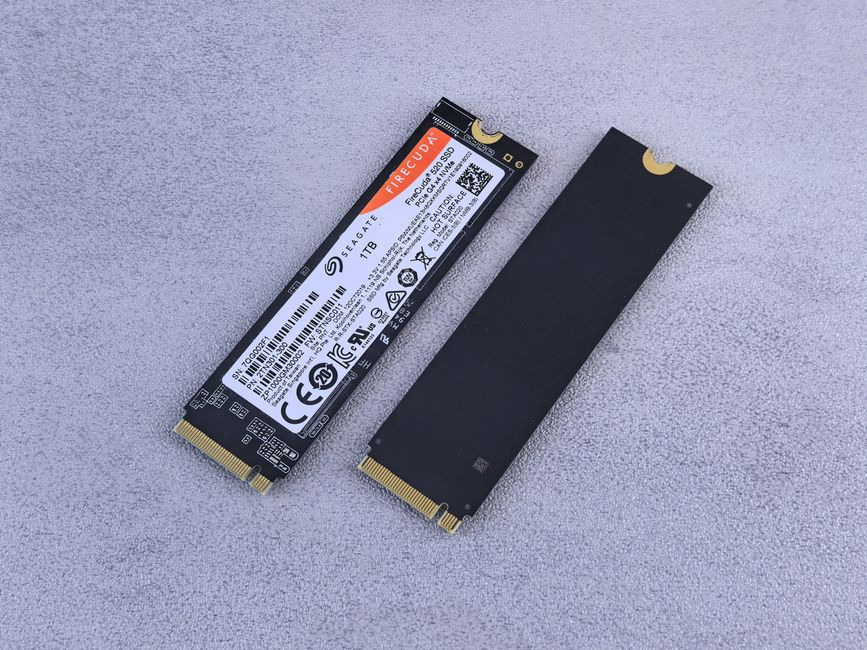
Picking storage for a PC sounds boring right up until your games crawl, your files take forever to move, or your system feels like it needs a coffee break. That’s when speed suddenly gets exciting. If you’re building or upgrading a computer, storage can make your whole setup feel snappy or sleepy. The good news is you don’t need to be a hardware wizard to make a smart choice. You just need to know what actually matters in day-to-day use and what is mostly shiny marketing confetti.
Speed beyond boot times
When people shop for storage, they often focus on one question. How fast does the PC turn on? That matters, sure, but it’s only part of the story. Fast storage changes how your computer feels all day long, from launching apps to loading giant game worlds.
If you’re comparing SSD options, it helps to look at both speed claims and how the drive handles heat under pressure. That’s why details like Lexar says NM790 is 2x faster can catch attention when you’re deciding whether a high-performance drive makes sense for your next build.
The real win is not just raw numbers on a product page. It’s the smoother feeling when your PC responds quickly without little pauses, stalls, or loading screens that make you question your life choices.
What makes storage feel quick
A fast storage drive helps with more than copying giant folders like a movie villain stealing data. It also affects the small things you do every day. Apps open faster. Games load maps quicker. Big photo libraries stop acting dramatic when you scroll through them.
Read speed helps when your system is pulling data from the drive. Write speed matters when you’re saving, installing, or moving stuff onto it. But there’s more to the story than peak speed. If a drive gets too hot, its performance can dip during longer tasks.
Balance matters too. If your PC has decent memory and a solid processor, fast storage can shine. If the rest of the system is older, the upgrade still helps, but it may not feel like teleportation. Think of storage as part of a team. A superstar drive can’t do all the work alone.
When cooling really matters
This is where many people get tripped up. They see speed numbers, smile, and click buy. Then they forget that fast drives can get warm, especially during gaming, video editing, or moving large files. Heat can lead to throttling, which is a fancy way of saying the drive slows down so it doesn’t cook itself.
A heatsink helps pull heat away from the drive. That can keep performance steadier during long sessions. If you mostly browse the web, stream shows, and write emails, you may never push your storage hard enough to notice. No shame in that. Your drive gets an easy life.
But if you game for hours, install huge titles, or move chunky files often, cooling starts to matter more. It’s not about making your PC look like a spaceship. It’s about helping your parts stay consistent when the workload gets spicy.
Match your build style
Your storage choice should fit your actual setup, not the fantasy machine in your head that edits films, runs six games, and launches rockets. A compact PC may have tighter airflow, so cooling matters more. A family desktop used for school, bills, and streaming probably doesn’t need the priciest speed monster on the shelf.
For a gaming rig, quick load times and steady performance under heat are worth thinking about. For a work-from-home system, reliable responsiveness may matter more than chasing the highest benchmark score. If you use lots of photos, design files, or video clips, capacity becomes a big deal too.
Try to picture your normal week. Do you multitask all day? Do you install giant games? Do you just want a PC that feels lively and stops wasting your time? That picture will guide you better than any flashy ad with flames and lightning bolts.
Simple buying mistakes
One common mistake is falling for peak numbers alone. A drive can look amazing on paper, but if it runs hot in your case or doesn’t match your motherboard, those dream speeds may stay in dreamland. Compatibility comes first. Always check what your board supports.
Another mistake is overspending for habits that don’t need elite performance. If your main tasks are browsing, office work, and streaming, you may notice the jump from an old hard drive to an SSD a lot more than the jump from one premium SSD to another.
People also forget airflow. Even a good drive can struggle in a cramped case with poor ventilation. Then there’s capacity regret. Buying too little space often backfires when games and files start piling up like laundry. Fast is great, but running out of room is a buzzkill.
A smarter upgrade plan
The best storage upgrade is the one that fits your real needs, your budget, and your system. Start with compatibility. Then think about capacity. After that, consider speed and cooling based on how hard you actually push your PC.
A simple checklist helps:
– Make sure the drive fits your motherboard
– Pick enough space for the next few years
– Consider a heatsink for heavier use
– Don’t pay extra for speed you won’t notice
– Think about airflow in your case
If you follow that order, you’ll avoid most of the common traps. Storage doesn’t need to be mysterious or painfully technical. It’s really about making your computer feel better to use every single day. Choose with a little care now, and your future self will spend less time waiting and more time doing literally anything else. That’s a pretty solid upgrade.
Buy Me A Coffee
The Havok Journal seeks to serve as a voice of the Veteran and First Responder communities through a focus on current affairs and articles of interest to the public in general, and the veteran community in particular. We strive to offer timely, current, and informative content, with the occasional piece focused on entertainment. We are continually expanding and striving to improve the readers’ experience.
© 2026 The Havok Journal
The Havok Journal welcomes re-posting of our original content as long as it is done in compliance with our Terms of Use.


