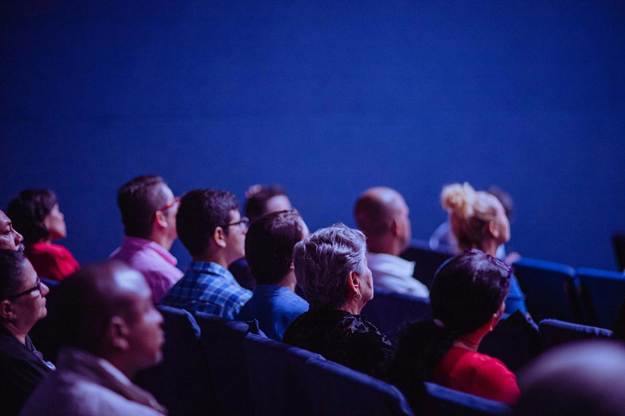
Important gatherings hinge on what people can see. When visuals are clear, messages land, and the room stays focused. This guide shares practical choices that help you plan, buy, and run visual media that fit real rooms, real teams, and real budgets.
Planning For Houses Of Worship And Community Venues
Start by mapping your room and the moments that matter most. For important gatherings of all kinds—community events, conferences, and worship services—teams often compare projectors, flat panels, and LED screens for churches to find the best fit for visibility and lighting. The goal is simple: clear, readable text even from the back row.
Sketch sightlines, entrances, and stage moves. Place displays where heads and gear will not block them. Keep cable runs short and safe.
Define must-haves like lyrics, message notes, timers, and countdowns. Nice-to-haves can wait, so you do not overload volunteers. Buying for real needs keeps teams calm on busy days.
LED vs Projector In Bright Rooms
Projectors work well in dark spaces. In bright rooms, ambient light lowers contrast and color. LED panels keep brightness and punch without dimming house lights.
An industry roundup noted that ultra-bright LED walls now replace the projector role at many large events, mainly because they stay vivid under stage wash and daylight. That shift makes daytime services easier to plan. Rooms keep windows open without losing clarity.
If you choose a projector, pick a high-lumen model with the right lens. Control the spill light where you can. Test with actual slides, not demo clips.
Right Size, Right Pitch
Size follows viewing distance. A quick guide is to make body text about 3 percent of the farthest viewing distance. If the last row is 25 m away, aim for roughly 75 cm letter height.
Pixel pitch controls clarity up close. Tight pitch helps when the seats are near or when cameras capture the wall. A wider pitch saves cost when the audience sits farther back.
Choose 16:9 for slides and video. Keep margins generous so text does not crowd the frame. Resist cramming too much onto one canvas.
Content For Hybrid Gatherings
Design for the room and the stream. Use large fonts, high contrast, and simple motion. Keep lyrics and notes on steady backgrounds, and avoid busy textures that compress poorly. Leave safe margins so text does not collide with captions or platform UI.
Short videos can reset attention. Place them between songs or speakers, not over them. Normalize audio to a steady level, and fade in and out so no one gets startled. Keep clips to 30-60 seconds and use a 3-second slate for clean roll-ins.
Lower thirds should be clean and brief. Titles, names, and one line of context are enough. Hold them for 5-7 seconds, then clear to the face so viewers read lips and cues. Leave room for captions and avoid stacking bugs, timers, and chat alerts in the same corner.
Reliability, Setup, And Safety
Build a repeatable setup so volunteers can follow it. Label every cable at both ends. Keep spares for key items.
- Use a modular display or spare input path so you can fail over fast
- Lock the mounts, frames, and safety bonds before the doors open
- Print a one-page signal map for the switcher and processor
- Protect power with proper distribution and tested UPS units
- Pack a small repair kit with tape, adapters, and fuses
- Schedule a five-minute rehearsal to catch last-second issues
Store gear in cases that fit your route. Coil cables the same way each time. Consistent habits prevent surprises.
The Market Is Ready And Growing
The pro AV field is busy and improving. Vendors ship panels, processors, and frames that assemble faster. Training and community resources are easier to find.
A trade publication reported that InfoComm 2025 drew about 31,000 verified attendees from 97 countries, a sign of strong demand and fresh solutions. Big shows bring more competition and price pressure. Buyers benefit as features trickle down.
For local teams, that means better support and safer rigs. Ask vendors for training with the purchase. A confident crew protects your investment.
Accessibility And Inclusive Visuals
Design slides so everyone can follow along. Use high-contrast colors and simple fonts, and keep body text large for the farthest seat. Avoid red and green together, and pair icons with clear labels.
Provide captions for videos and spoken word. For streams, enable platform captions and review timing during rehearsal. Keep lyric slides steady so screen readers and captioners can keep up.
Wayfinding helps guests feel calm. Run a short info loop on lobby displays with start times and room names. Add simple pictograms for restrooms, check-in, and exits so people do not need to ask.
Strong visuals do not have to be flashy to work. When you right-size the display, keep content clean, and run a calm workflow, people focus on the message. Start small, test in your room, and improve each event with what you learn.
Buy Me A Coffee
The Havok Journal seeks to serve as a voice of the Veteran and First Responder communities through a focus on current affairs and articles of interest to the public in general, and the veteran community in particular. We strive to offer timely, current, and informative content, with the occasional piece focused on entertainment. We are continually expanding and striving to improve the readers’ experience.
© 2026 The Havok Journal
The Havok Journal welcomes re-posting of our original content as long as it is done in compliance with our Terms of Use.


